
Creative Image Editing on iPad
Overview
Adobe Photoshop Touch is a mobile adaptation of the renowned desktop Photoshop suite, tailored specifically for the iPad 2. Designed to bring core image editing capabilities to tablet users, it enables creative professionals and photography enthusiasts to manipulate photos with layers, adjustment tools, and a camera fill feature. The app supports a maximum resolution of 1600×1600, providing ample canvas space for detailed work. While originally developed for iPad 2, the software was optimized for touch-based interaction, allowing intuitive control through gestures and stylus input. It serves as a portable companion for users who need to edit images on the go, particularly those already familiar with Photoshop’s workflow. Real-world use cases include quick retouching, digital sketching, and preparing visuals for social media. The inclusion of step-by-step tutorials makes it accessible to users seeking to learn or refine their skills. The developer did not provide additional system requirements beyond the iPad platform. Adobe Photoshop Touch is intended for users who value creative flexibility and seamless integration with Adobe’s ecosystem, especially those who rely on mobile workflows.
Key Features & Capabilities
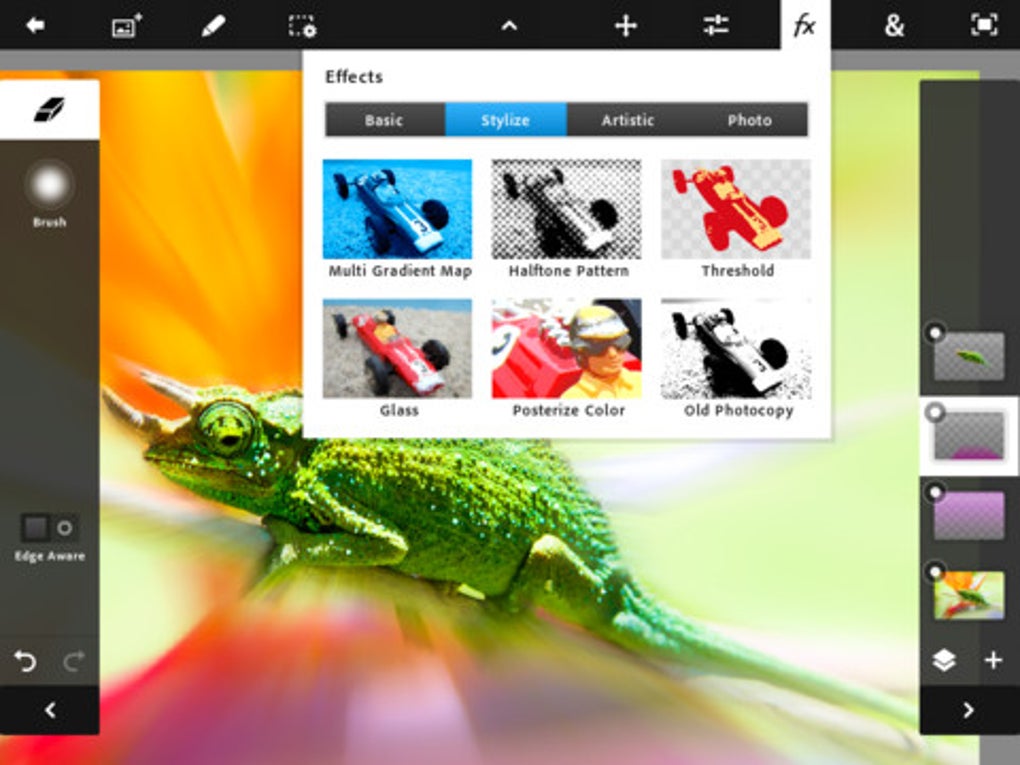
- Layer-based Editing: Users can create and manage multiple layers, enabling non-destructive editing and greater control over image composition.
- Adjustment Tools: Access to a range of tools for brightness, contrast, hue, saturation, and more, allowing precise color and tone corrections.
- Camera Fill Tool: Leverages the iPad 2’s camera to capture and fill areas within a design, useful for quick content generation or texture creation.
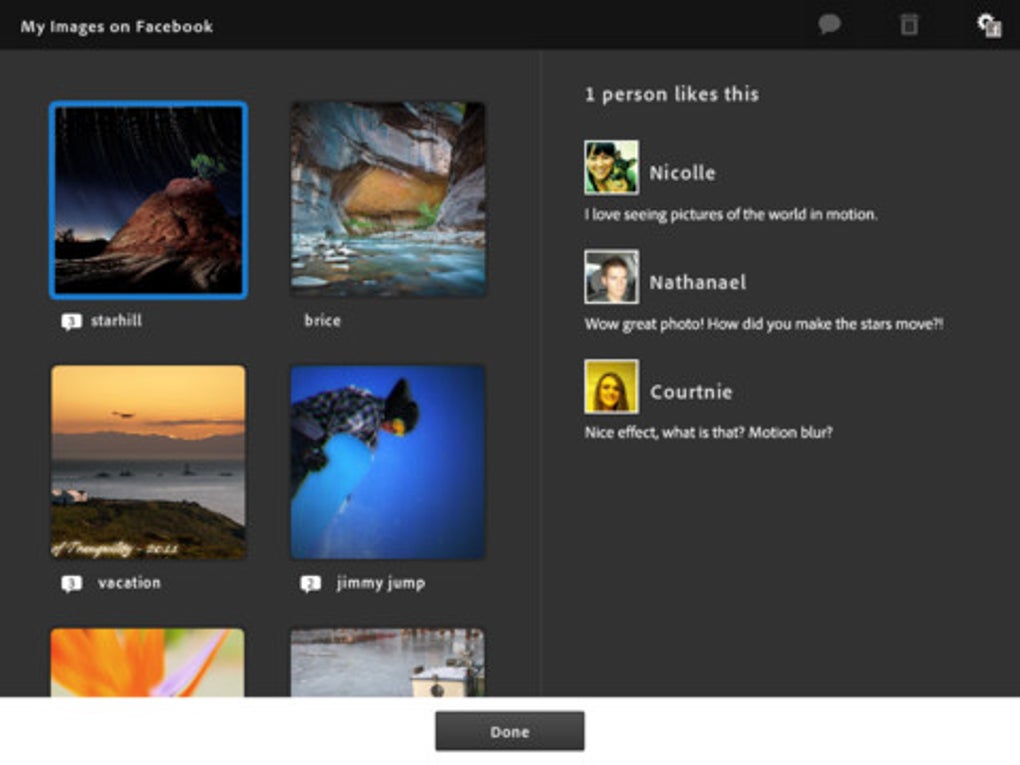
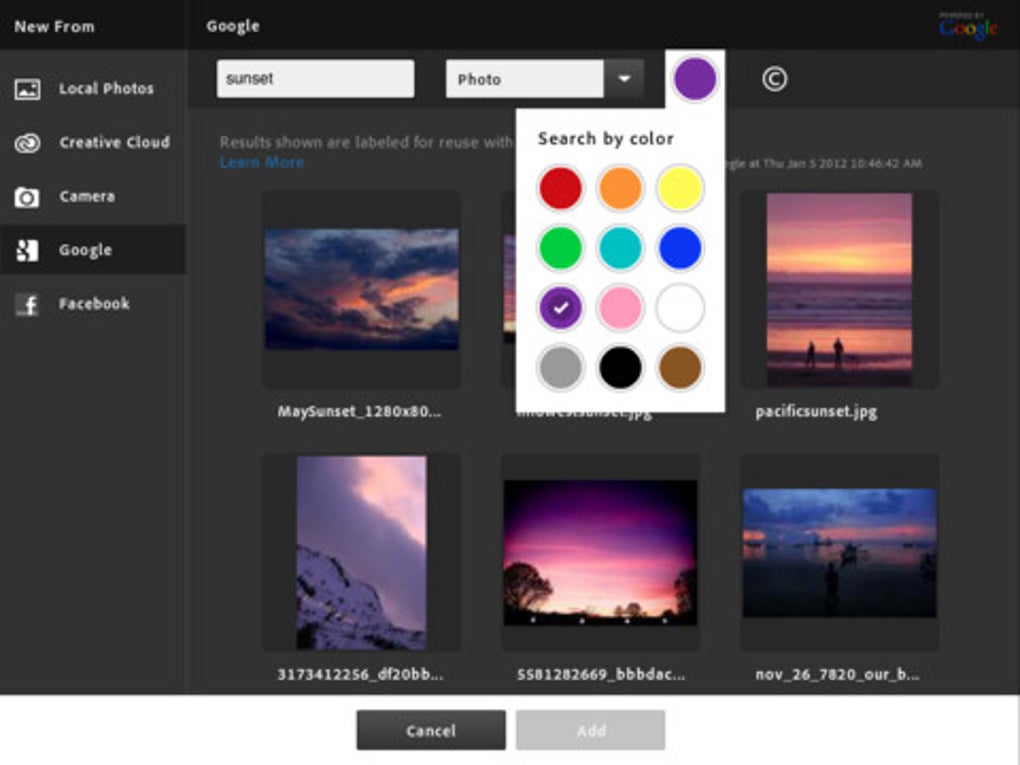
- Sharing Options: Direct integration with Facebook and Google Image Search allows users to share or source images without leaving the app.
- Step-by-Step Tutorials: Built-in learning resources guide users through common editing tasks, supporting skill development.
- AirPrint Support: Enables direct printing to compatible printers, streamlining the output process.
- Gallery Browsing Improvements: Enhanced navigation for accessing and managing saved projects and assets.
These features collectively support a streamlined creative workflow on a touch interface. For example, a designer might use the camera fill tool to quickly add textures to a mockup, then adjust colors with the built-in tools before sharing via Facebook. The integration of tutorials ensures users can learn while working, making it suitable for both beginners and experienced users. The app’s focus on mobile-first design means that traditional desktop features are reimagined for touch, maintaining functionality while adapting to the device’s constraints.
User Interface, Workflow & Performance
The user interface of Adobe Photoshop Touch is structured around a touch-optimized layout, with toolbars and menus accessible through intuitive gestures. Navigation is designed to minimize taps and maximize efficiency, with frequently used tools grouped logically. The workflow emphasizes speed and simplicity, allowing users to start editing immediately after launching the app. Layer management, adjustment controls, and tool selection are all accessible through a clean, responsive interface. Performance observations are based on general software behavior patterns, as exact performance details were not specified. The app operates within a 28.5 MB installation size, suggesting a lightweight footprint. The developer did not specify resource usage details, so CPU and RAM behavior remain unknown. Stability is assumed to be consistent with typical iPad 2 applications, though no formal testing data was provided. The app supports a maximum resolution of 1600×1600, which may influence rendering speed on older hardware. Overall, the interface prioritizes usability, making it suitable for users who value a fast, tactile editing experience.
Compatibility & System Requirements
Adobe Photoshop Touch is designed exclusively for the iPad platform. The software version is 2.1.1, with an installation size of 28.5 MB. The app was released on April 11, 2012, and is compatible with the iPad 2, which was the target device at launch. The developer did not provide additional system requirements beyond the operating system. Compatibility information was partially provided, with no details on iOS version or hardware specifications. Users should note that the app is no longer available for download, as Adobe has discontinued support. This limits accessibility to current devices and operating systems. While the app was optimized for the iPad 2’s hardware, modern iPads may not support it due to changes in iOS and Apple’s app distribution policies. For users with older iPads, the app remains functional within its intended environment.
Pros and Cons
Pros
- Brings core Photoshop editing features to a mobile platform
- Intuitive touch interface optimized for iPad 2
- Includes built-in tutorials for skill development
- Supports layer-based editing and adjustment tools
- Offers direct sharing to Facebook and Google Image Search
- Includes AirPrint functionality for direct printing
- Lightweight installation at 28.5 MB
Cons
- App is no longer available for download
- Support limited to iPad 2, with no updates for newer devices
- No official information on performance or resource usage
- Maximum resolution capped at 1600×1600
- Outdated release date (2012) raises concerns about long-term usability
FAQ Section
Is Adobe Photoshop Touch still available for download?
Adobe Photoshop Touch is no longer available for download through the App Store. The app has been discontinued, and users cannot install it on new devices.
What devices support Adobe Photoshop Touch?
The app was designed for the iPad 2. No further device compatibility details were provided by the developer.
Is the software secure to use?
Adobe Photoshop Touch was developed by Adobe, a trusted provider of creative tools. However, since the app is no longer updated, it may not meet current security standards.
Does Adobe Photoshop Touch require an internet connection?
The app supports both online and offline functionality. Features like Google Image Search and Facebook sharing require an internet connection, while core editing tools work offline.
What type of license does Adobe Photoshop Touch use?
The app is available for free. No subscription or paid model was required at the time of release.
Final Thoughts + CTA
Adobe Photoshop Touch was a pioneering effort to bring professional-grade image editing to mobile devices. Its thoughtful adaptation of Photoshop’s core tools for the iPad 2 made it a valuable asset for mobile creatives. While its limitations—such as the lack of availability for new devices and outdated release date—are significant, the app remains a testament to early mobile creativity. For users with an iPad 2 and a need for portable editing, it offers a robust set of features. However, due to discontinuation, it is not recommended for new users. The legacy of Photoshop Touch lives on in modern Adobe apps, but its standalone version is now inaccessible. Download Adobe Photoshop Touch now if you have access to the compatible device.







